Phone-to-Tablet current state
On pause — blocked on touch input
Hardware Exploration · 2025–2026 · iOS

Phone-to-
Tablet

An iPhone connected to a salvaged iPad screen. The premise: a tablet is a phone with a bigger screen — so why pay for everything twice?

PhoneiPhone 15 (USB-C)
ScreeniPad LCD + AliExpress driver board
SignalUSB-C → VGA adapter + VGA cable
Total cost~CHF 50 (vs CHF 449+ for iPad)
01 — The idea

A tablet is just a phone with a bigger screen

Open an iPhone and an iPad side by side. You will find the same CPU family, the same RAM architecture, the same cellular modem, a battery, a speaker system, a front camera, storage — duplicated in full. The only meaningful hardware difference between the two is the size of the display.

Yet Apple charges CHF 849 for an iPhone 15 and CHF 449 for a base iPad — a combined CHF 1,298 for someone who owns both. The redundancy is complete. You are paying for two processors, two batteries, two sets of speakers, just to have a second, larger screen on your desk.

The idea is simple: replace the iPad with its screen only. Slot the iPhone into a custom housing at the back of the display. Connect them via USB-C. One brain, two screen sizes, one battery — and a cost fraction of the current duopoly.
What is duplicated
Apple SoC (A-series)
Same chip family in both devices
Battery
Independent cell in each device
RAM & Storage
Duplicated across both
Cellular modem
Two SIM slots, two data plans
Speakers
Full speaker system on each
Front camera
Duplicated for video calls
02 — Economics
CHF 1,298 for two devices that share every component except a screen.
Item
Retail price
Note
iPhone 15
CHF 849
Base model, 128 GB — Apple Switzerland
iPad (10th gen)
CHF 449
Base model, Wi-Fi — Apple Switzerland
Combined
CHF 1,298
For a phone and a bigger screen
This project
~CHF 50
iPad screens (Ricardo / free) + AliExpress driver board + VGA cable

Prices from Apple Switzerland (apple.com/ch-de). iPhone 15 at CHF 849, iPad 10th generation at CHF 449 as of 2025. The CHF 50 prototype cost includes salvaged iPad screens (CHF 0–30 each from Ricardo or friends), an AliExpress LCD driver board (~CHF 20), and a recovered VGA cable. The screen itself — the only component that actually differs between the two devices — costs less than 4% of buying both at retail.

03 — Current state

What works — and what doesn't

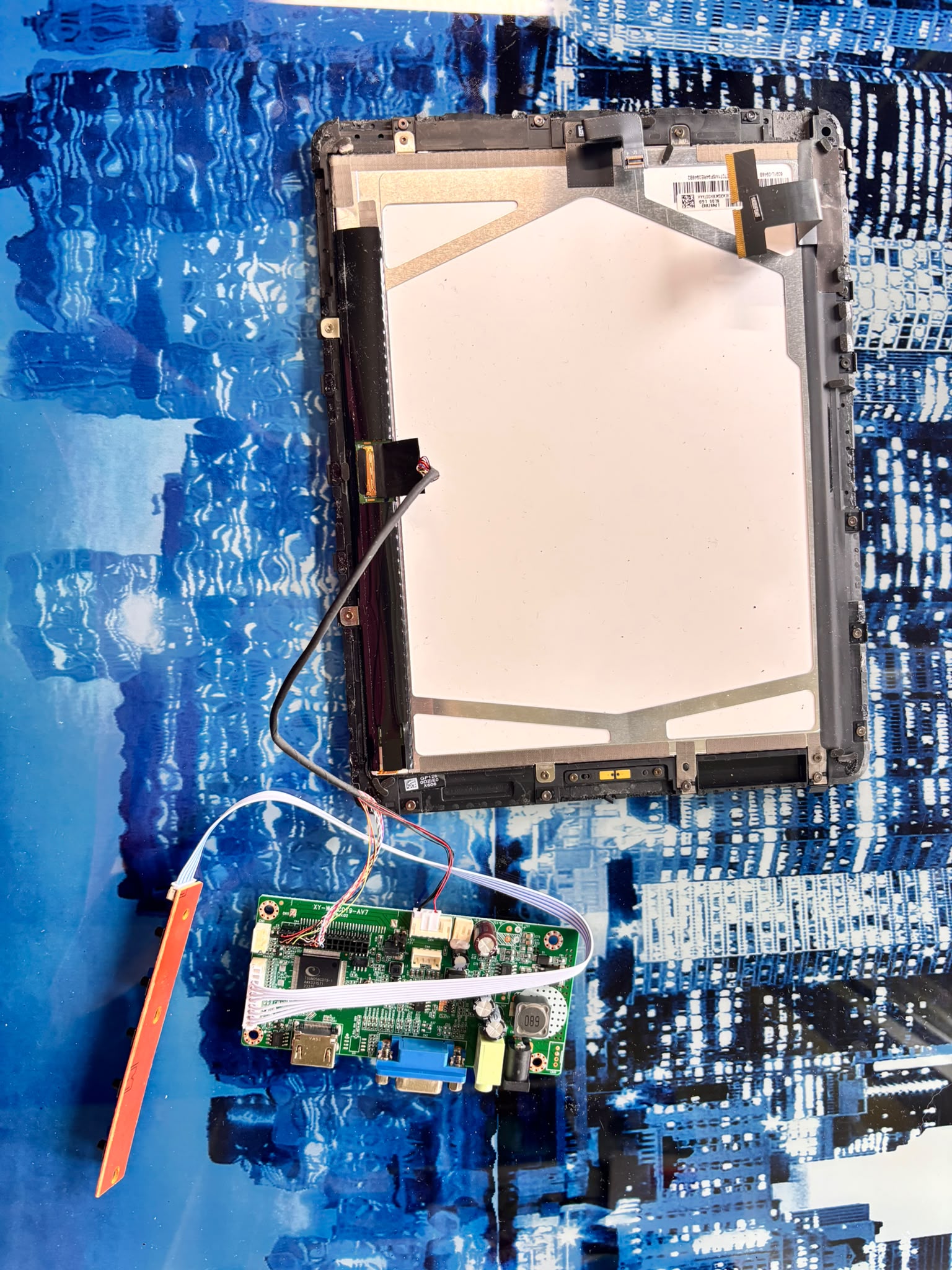
The display connection works. The iPhone 15 outputs video over USB-C via a USB-C to VGA adapter, which feeds the iPad LCD panel through an AliExpress driver board. Whatever is on the iPhone screen also appears on the iPad display.

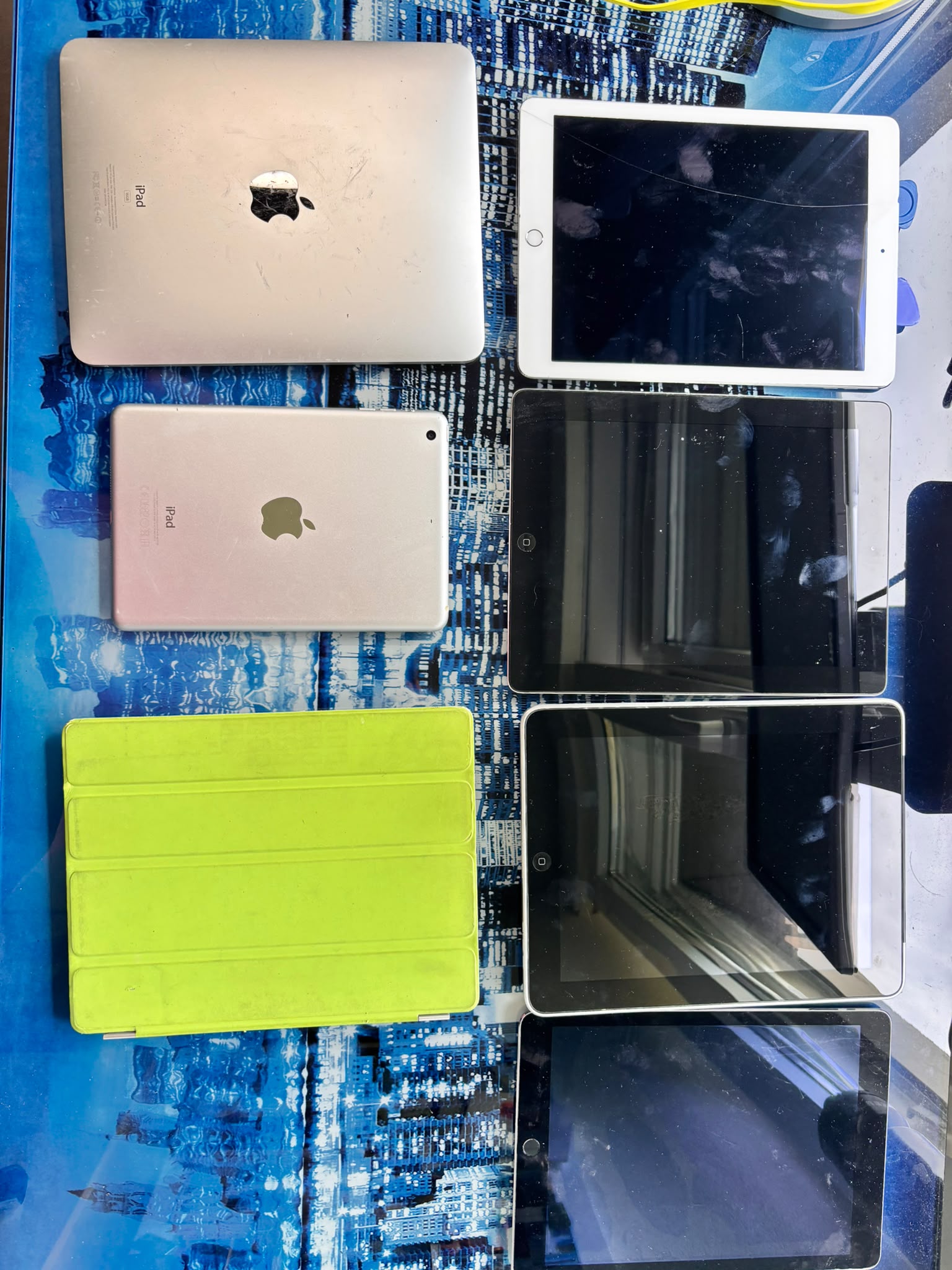
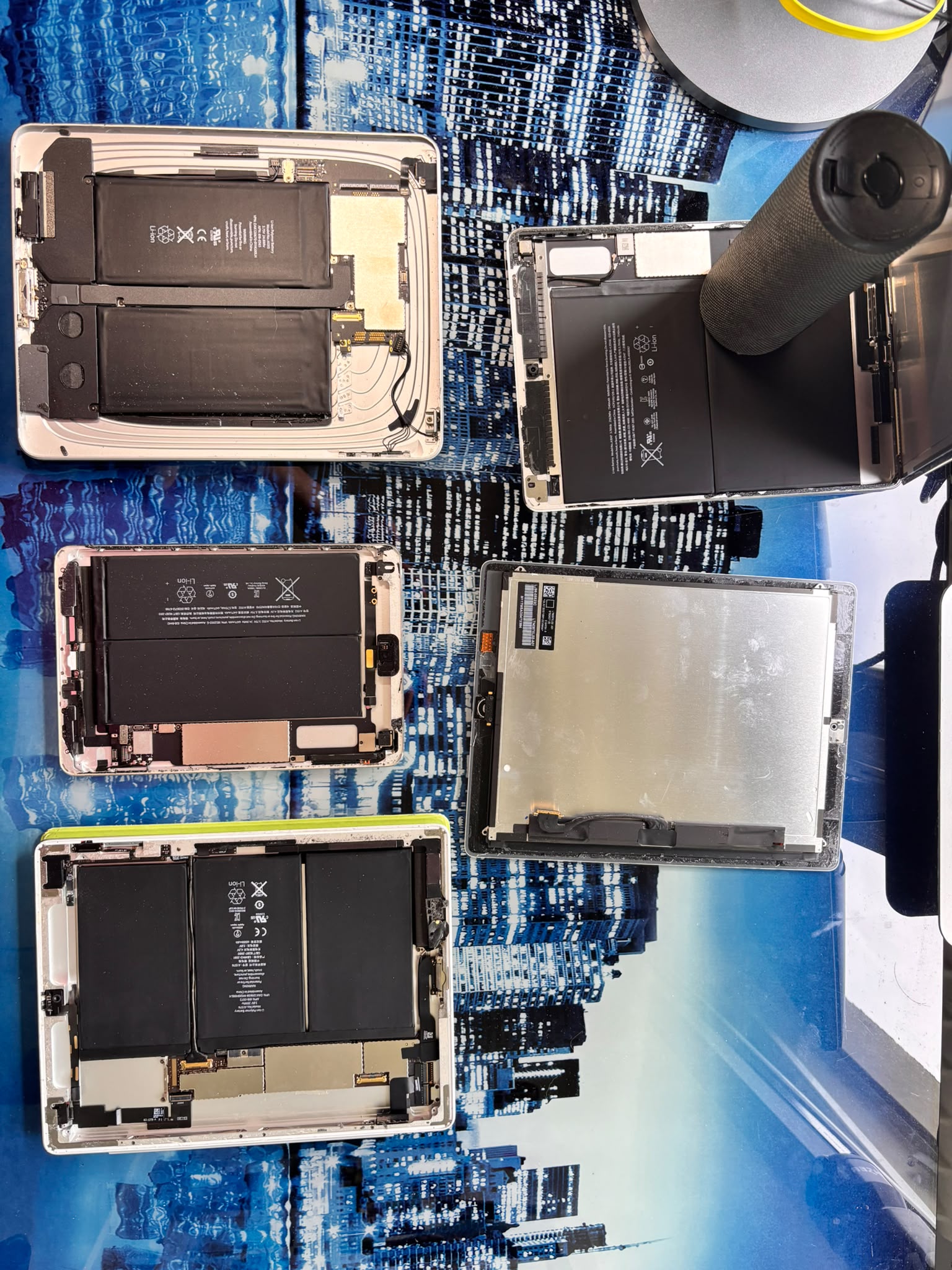
Several iPads were disassembled before a working combination was found — driver boards do not pair with every panel, and the process of separating the glass from the LCD cracked two screens and severed cables on others. Hardware iteration was unavoidable.

Two problems remain. First, the iPad panel has no orientation sensor — the image mirrors the iPhone in portrait mode and stays there. Second, and more critically: the iPad touchscreen does not communicate with the iPhone. The display works. The touch does not. There is currently no known input from the tablet side.

What works
Video output: iPhone → USB-C → VGA adapter → driver board → iPad LCD.

Image is clean and stable. Screen lights up correctly with full resolution.
What does not work
Touch input from iPad digitizer to iPhone: unsolved.

No auto-rotation on the external display.
Display mirrors iPhone instead of extending it.
Power drawn from mains (12V adapter) — not from iPhone battery.
Status
On pause since early 2026. Touch input is the primary blocker — no solution has been found yet, online resources are scarce, and the fix will likely require original research.
Current state
Driver board connected to iPad LCD — display working
iPads recovered
Salvaged iPads — sourced from Ricardo and friends
Disassembled iPads
Disassembly — several screens cracked or cables severed in the process
Video — mirror display in action
04 — The blocker

Touch input — an unsolved problem

Current blocker
The iPad digitizer cannot talk to the iPhone

The iPad touchscreen (digitizer) uses a protocol that is internal to the iPad's logic board. When the screen is separated from its original hardware, the touch controller has no path to the iPhone. No standard cable, no driver, no documented protocol bridges this gap. The display works — but without touch, the larger screen is only a mirror, not an interface.

Hypotheses to explore

No solution has been found yet. These are the technical avenues worth investigating — none confirmed, all open.

01
Microcontroller bridge (e.g. Arduino / ESP32)

Intercept the I²C or SPI signal from the iPad digitizer, translate it into HID touch events, and inject them into the iPhone via USB or Bluetooth. Requires reverse-engineering the digitizer's communication protocol — largely undocumented for Apple panels.

To explore
02
Bluetooth HID injection

A small BLE module reads touch events from the digitizer and forwards them to the iPhone as a standard Bluetooth HID device (like a trackpad). Avoids the USB complexity but requires the iPhone to recognise the input as touch — not guaranteed under iOS.

To explore
03
USB HID via USB-C

Route touch data through the same USB-C cable that carries the video signal. A controller board reads the digitizer and presents itself to the iPhone as a USB HID touch device. This is how external touchscreens work on desktop — whether iOS supports it on iPhone is unknown.

Feasibility unknown
04
Replace digitizer with a compatible panel

Use a non-Apple touchscreen that already speaks a documented USB HID touch protocol, rather than trying to decode Apple's proprietary digitizer. Sacrifices the "pure iPad screen" aesthetic but may be the most practical path to a working prototype.

To explore
Inspiration

These videos show how far others have taken the idea of a phone-powered external display — and where the gap to a fully functional tablet experience still lies.

05 — Next steps

What needs to happen

The project is on pause. These are the remaining steps to reach a fully functional prototype — roughly in order of priority.

01
Solve touch input

The primary blocker. Research and test the hypotheses above — microcontroller bridge, BLE HID, USB HID via USB-C, or alternative touchscreen panel. No solution exists online: this requires original investigation.

02
iPhone battery → screen power

Currently the LCD is powered by a 12V mains adapter. The goal is to power the screen from the iPhone's own battery — eliminating the last external dependency and proving the single-battery premise.

03
Auto-rotation & display extension

The external display should rotate to landscape automatically and extend the iPhone desktop rather than mirror it. This requires either iOS AirPlay/Stage Manager support or a custom workaround.

04
Compact connector

The current VGA cable is bulky and awkward. Replace it with a compact USB-C to DisplayPort or a purpose-built flex connector that sits flush between the iPhone and the screen housing.

05
Custom housing

Design and 3D-print a chassis that holds the iPad screen with a recessed slot at the back sized exactly to the iPhone 15. Plug in, lock, use — no loose cables, no adapter stack visible.

06
Keyboard mode

Add a Bluetooth keyboard to the setup. The iPhone becomes a laptop-equivalent: screen, keyboard, one battery, no dedicated computer hardware. Full desktop workflow from a single pocket device.

iPhone 15 USB-C · VGA iPad LCD AliExpress Driver Board iOS HID Touch Hardware Hack Display Engineering 3D Printing